
Four vertices and weighted edges
The header 4 3 gives four vertices and three edges: 1–2, 1–3, and 3–4. Every vertex is connected and there is no cycle, so this graph is a tree.
The third column contains the weights 5, 2, and 7. They can represent distances or costs. They do not specify a vertex's height or depth in the diagram.
Choose a root to follow the branches
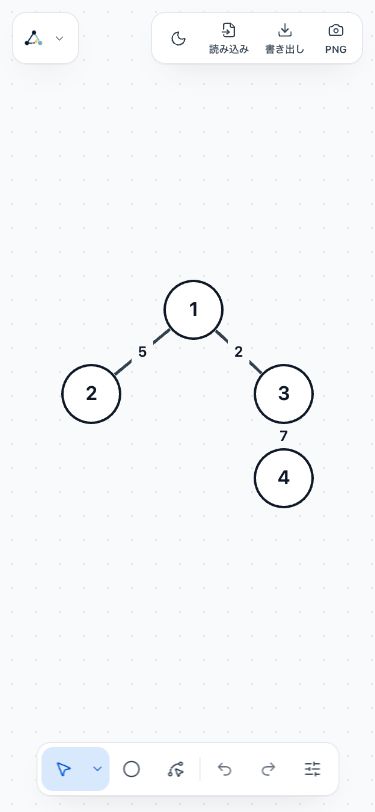
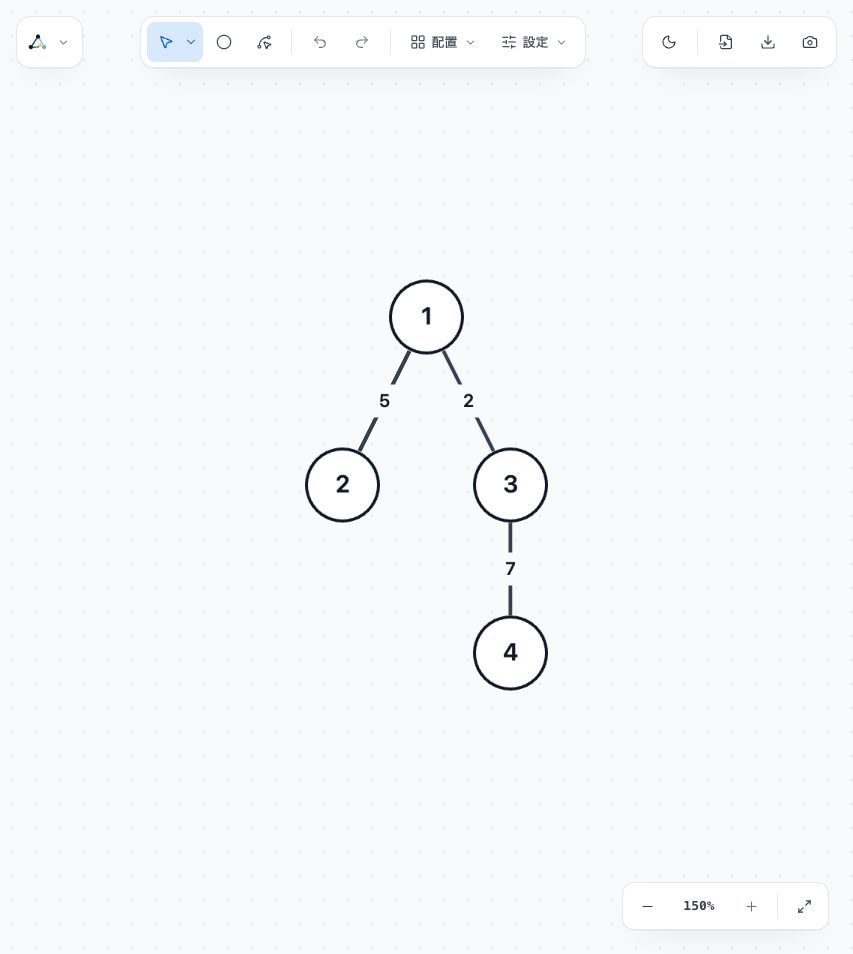
With vertex 1 as the root, 2 and 3 are its children and 4 sits below 3. With vertex 3 as the root, 1 and 4 are its children and 2 sits below 1. The parent-child relationships depend on the root.
Select one vertex before choosing Tree in Layouts to use it as the root. Changing the root keeps all connections and edge weights intact.
Leave room for labels and weights
After applying a layout, check that vertex labels and edge weights do not overlap. Move vertices to adjust tight areas and check that labels remain readable at the size you plan to use.
Tree layout is unavailable for graphs with cycles. Read the displayed reason when a layout is disabled, then choose another layout suited to the graph's connections.
Compare the input and diagram
Input to copy
4 3
1 2 5
1 3 2
3 4 7
Graph diagram